**VPN-IP-Adresse kontrollieren**Die Fernwartung ist erst vollständig aufgebaut, wenn eine VPN-IP-Adresse angezeigt wird. Das alleinige Aktivieren des Schiebereglers reicht nicht aus.
**Fernwartung bereit**Wird eine VPN-IP-Adresse angezeigt und wurden die Einstellungen gespeichert, steht die VPN-Verbindung für den Fernzugriff zur Verfügung.
### Keine VPN-IP-Adresse vorhanden Wird nach der Aktivierung der Fernwartung keine VPN-IP-Adresse angezeigt, prüfen Sie: - Internetverbindung des SmartDog®, - Netzwerkeinstellungen, - Firewall-Einstellungen, - erforderliche Portfreigaben. [Portfreigaben und Netzwerkanforderungen](https://anleitung.smart-dog.eu/link/349#bkmrk-port-freigaben-ohne-)**Keine VPN-Verbindung**Wird keine VPN-IP-Adresse angezeigt, ist kein Fernzugriff über die Fernwartung möglich. Prüfen Sie in diesem Fall die Netzwerk- und Firewall-Konfiguration.
## Netzdiagnose [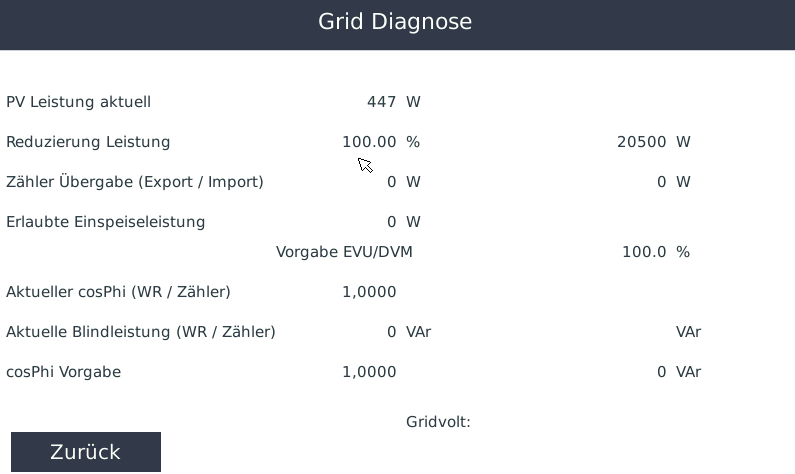](https://anleitung.smart-dog.eu/uploads/images/gallery/2025-11/nlQQzDoA7yHLMfrq-image-1763977610004.png) Über die **Netzdiagnose** können aktuelle Informationen zur Produktion sowie zu vorhandenen externen Vorgaben eingesehen werden. Hier werden unter anderem Informationen angezeigt zu: - der aktuellen Produktion, - Vorgaben des Energieversorgers, - Vorgaben eines Direktvermarkters.**Diagnosewerte**Die Netzdiagnose unterstützt bei der Kontrolle, ob aktuelle Anlagenwerte und externe Vorgaben vom SmartDog® korrekt verarbeitet werden.
## Modbus TCP Diag [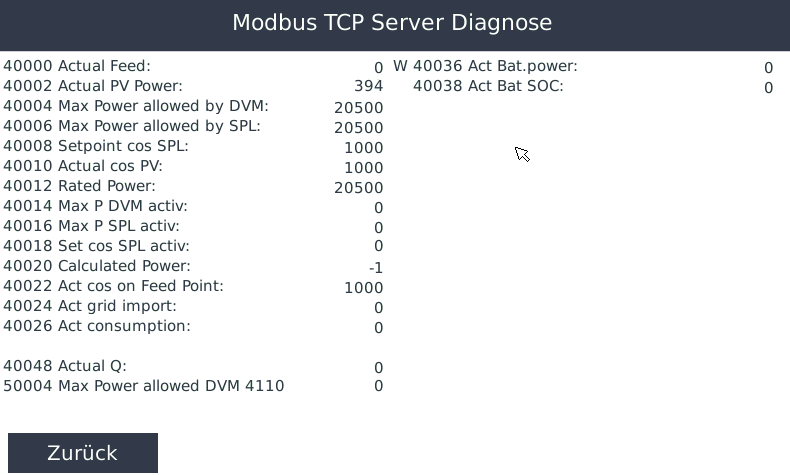](https://anleitung.smart-dog.eu/uploads/images/gallery/2025-11/2tzSmM9u30As8kER-image-1763977703117.png) Im Bereich **Modbus TCP Diag** können Sie die Werte einsehen, die der SmartDog® aktuell über Modbus TCP bereitstellt. Die Ansicht eignet sich insbesondere zur Kontrolle und Fehlersuche bei einer externen Modbus-TCP-Kommunikation. ## IO Diagnostix Im Bereich **IO Diagnostix** stehen zwei unterschiedliche Diagnoseansichten zur Verfügung: - **regulations all** - **IO Diagnostix** ### regulations all [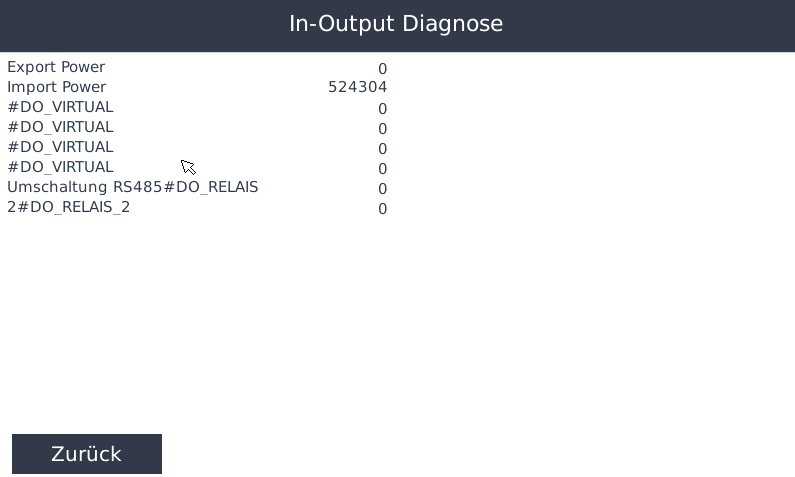](https://anleitung.smart-dog.eu/uploads/images/gallery/2025-11/tWCgqg8eQRTo8epw-image-1763977996329.png) Über **regulations all** können Sie den aktuellen Status der vorhandenen Regelungen einsehen. Dies ermöglicht eine schnelle Kontrolle, welche Regelungen vorhanden sind und welchen aktuellen Status diese besitzen. ### IO Diagnostix [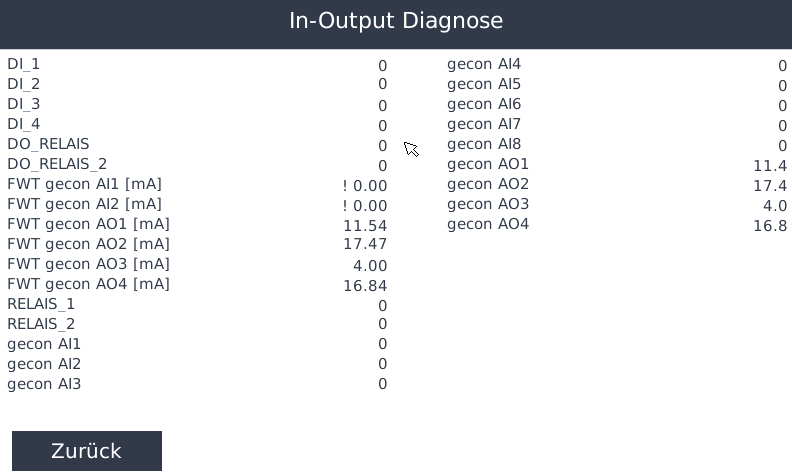](https://anleitung.smart-dog.eu/uploads/images/gallery/2025-11/x3O5Uf1nfmzygml9-image-1763978013967.png) Über **IO Diagnostix** können Sie die aktuellen Schaltzustände der Ein- und Ausgänge des SmartDog® einsehen.**Ein- und Ausgänge prüfen**Die IO-Diagnose ist insbesondere bei der Inbetriebnahme oder Fehlersuche hilfreich, um die aktuellen Zustände der Ein- und Ausgänge zu kontrollieren.
## Ping und Port Check [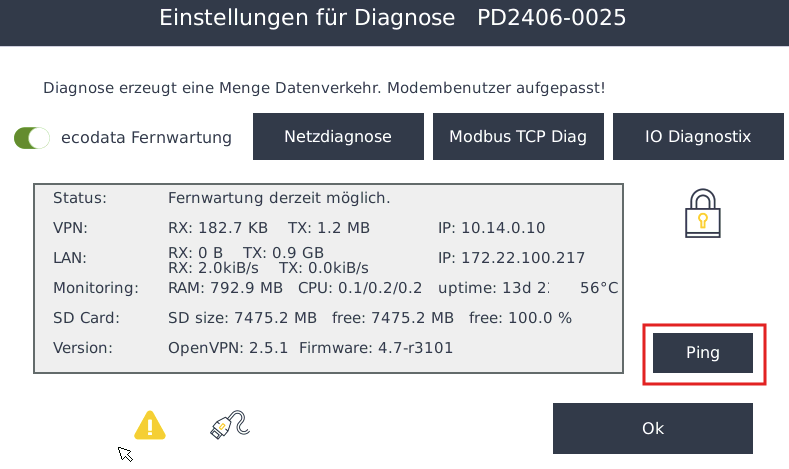](https://anleitung.smart-dog.eu/uploads/images/gallery/2025-11/NaRdoeULwxRqbH5f-image-1763978127917.png) Mit **Ping und Port Check** kann die Netzwerkkommunikation zu anderen Geräten oder Netzwerkzielen geprüft werden. Klicken Sie auf **Ping**, um die Netzwerkdiagnose zu öffnen. [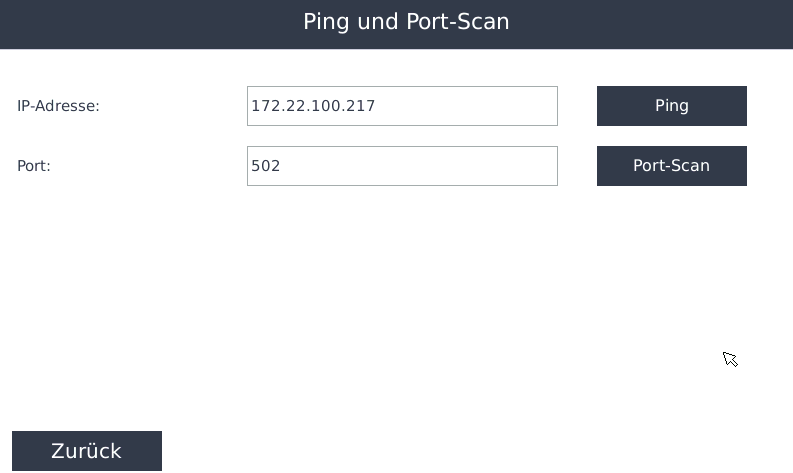](https://anleitung.smart-dog.eu/uploads/images/gallery/2025-11/ECRYqOQk5ar3RCun-image-1763978152653.png) Hier stehen zwei Prüfungen zur Verfügung: - **Ping** - **Port-Scan** ### Ping Mit **Ping** kann geprüft werden, ob ein Netzwerkgerät vom SmartDog® aus grundsätzlich erreichbar ist. Geben Sie dazu die entsprechende IP-Adresse beziehungsweise das gewünschte Netzwerkziel ein und starten Sie die Prüfung. [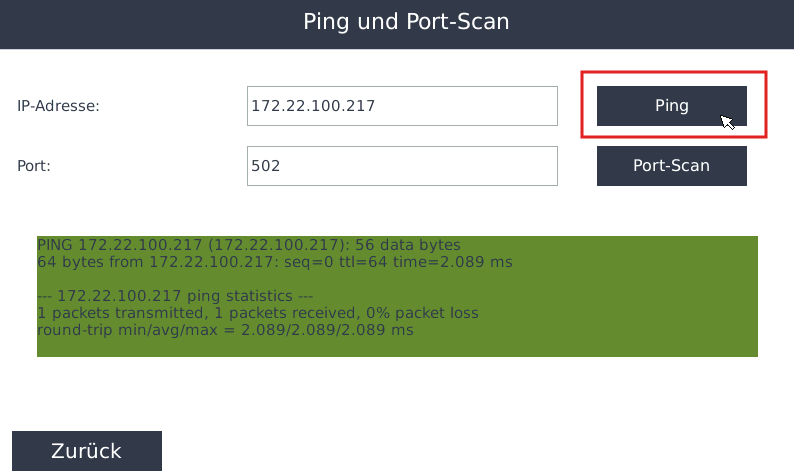](https://anleitung.smart-dog.eu/uploads/images/gallery/2025-11/aqWLgmUTn7rwnfD8-image-1763978354899.png)**Ping erfolgreich**Ein erfolgreicher Ping zeigt, dass das angegebene Netzwerkziel vom SmartDog® über das Netzwerk erreichbar ist.
### Port-Scan Mit dem **Port-Scan** kann geprüft werden, ob ein bestimmter Netzwerkport am angegebenen Ziel erreichbar ist. [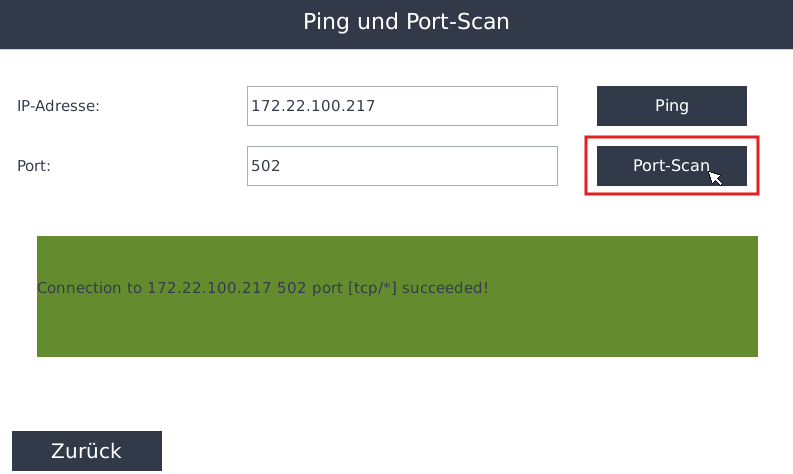](https://anleitung.smart-dog.eu/uploads/images/gallery/2025-11/ulKZWi5y1Y6rL58G-image-1763978310008.png) Geben Sie dazu: - das gewünschte Netzwerkziel, - sowie den zu prüfenden Port ein und starten Sie den Port-Scan. Dies ist beispielsweise hilfreich, wenn ein Gerät grundsätzlich im Netzwerk erreichbar ist, die Kommunikation über den benötigten Port jedoch nicht funktioniert.**Ping erfolgreich, Kommunikation trotzdem nicht möglich**Ein erfolgreicher Ping bestätigt lediglich die grundsätzliche Netzwerk-Erreichbarkeit. Für die eigentliche Kommunikation muss zusätzlich der benötigte Netzwerkport erreichbar sein.
## Übersicht der Diagnosefunktionen| Bereich | Funktion |
|---|---|
| **Fernwartung** | Fernzugriff aktivieren und VPN-Verbindung kontrollieren |
| **Netzdiagnose** | Produktionswerte und externe Vorgaben kontrollieren |
| **Modbus TCP Diag** | Über Modbus TCP bereitgestellte Werte einsehen |
| **regulations all** | Status vorhandener Regelungen kontrollieren |
| **IO Diagnostix** | Zustände der Ein- und Ausgänge kontrollieren |
| **Ping** | Erreichbarkeit eines Netzwerkziels prüfen |
| **Port-Scan** | Erreichbarkeit eines Netzwerkports prüfen |
**Diagnose**Die Diagnosefunktionen des SmartDog® unterstützen sowohl bei der Inbetriebnahme als auch bei der Fehlersuche und ermöglichen eine schnelle Kontrolle wichtiger Kommunikations-, Regelungs- und Systemzustände.